Client communication
Client Project Updates: From Scattered Messages to One Portal
Keep the personal touch in your client updates, and give each reviewed update a place the homeowner and your team can return to.
What makes a useful client project update?
A useful update tells the homeowner what has been completed, what is coming next and what decisions or access you need from them. Give it a date, explain any changes to the plan, and keep the reviewed update somewhere the client and your team can find it again.
Gary’s experience: daily messages, then another Friday email
Gary from LBProjects shared how he used to keep renovation clients informed. During the week, he sent daily texts through WhatsApp or a message group. On Fridays, he put together a personalized update email for each client. Later, he started using Google Docs for those updates.
The care was already there. He was making an effort to tell each homeowner what was happening on their job. But the process involved several places to write, send and look back through the information.
Gary now uses FuzedFlow to send personalized project updates that clients can return to in their Client Portal. He also described being able to open the lead details so his team can check when project updates were sent.
His experience points to a practical question: after you have written a good update, where will the homeowner find it next week, and how will your team know what you shared?
Give the update a home in the client portal
Sending an update tells the client there is something to read. Keeping it in a portal gives them somewhere to return when they want to check the details again.
In FuzedFlow’s client-update workflow, choose the project and date, then prepare the summary, completed work, upcoming work and important client notes. Save a draft while you check the details, preview the branded PDF, then publish the reviewed update to the Client Portal.
Email can include the branded PDF and a portal link. Text messages share the portal link. Check the recipient details and message before sending, and make sure the Updates section is enabled in your portal settings.
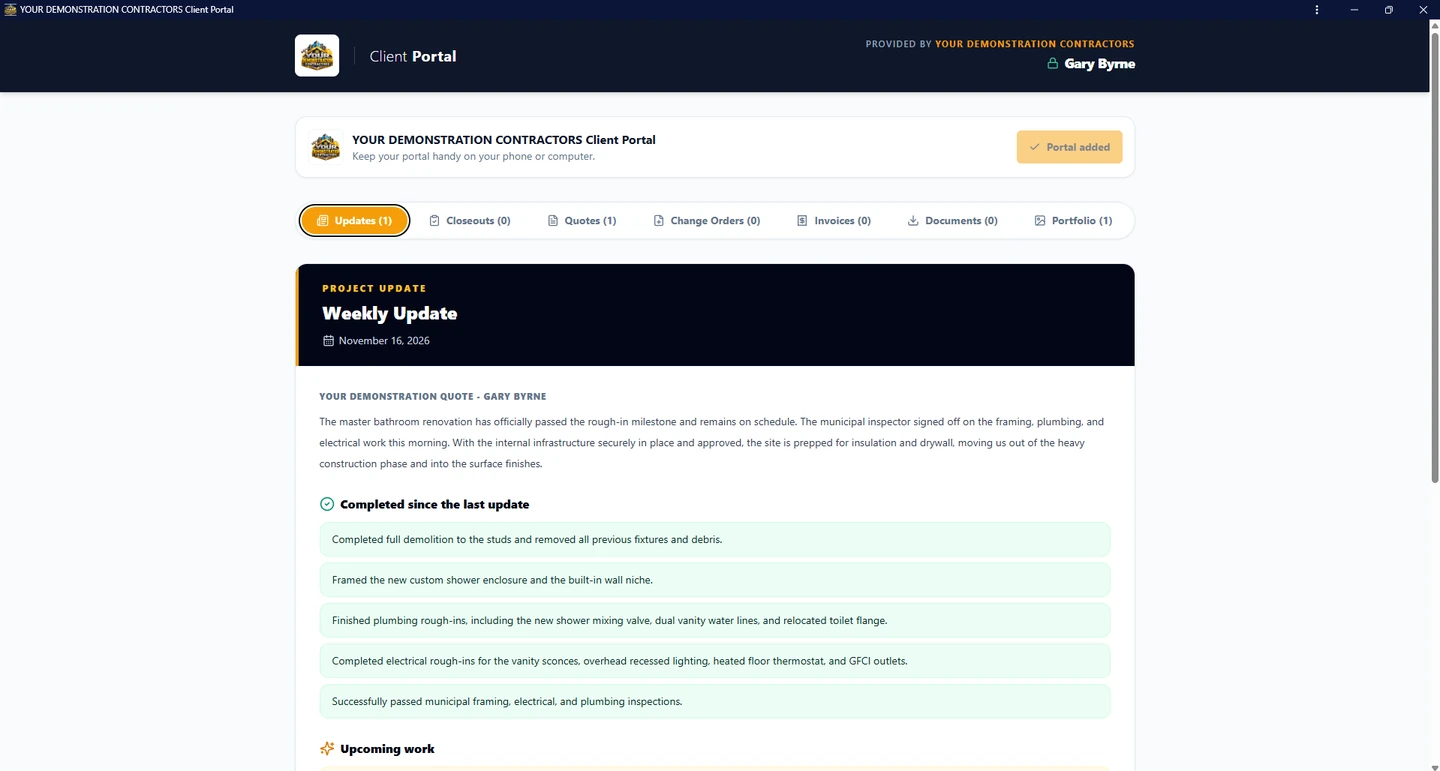
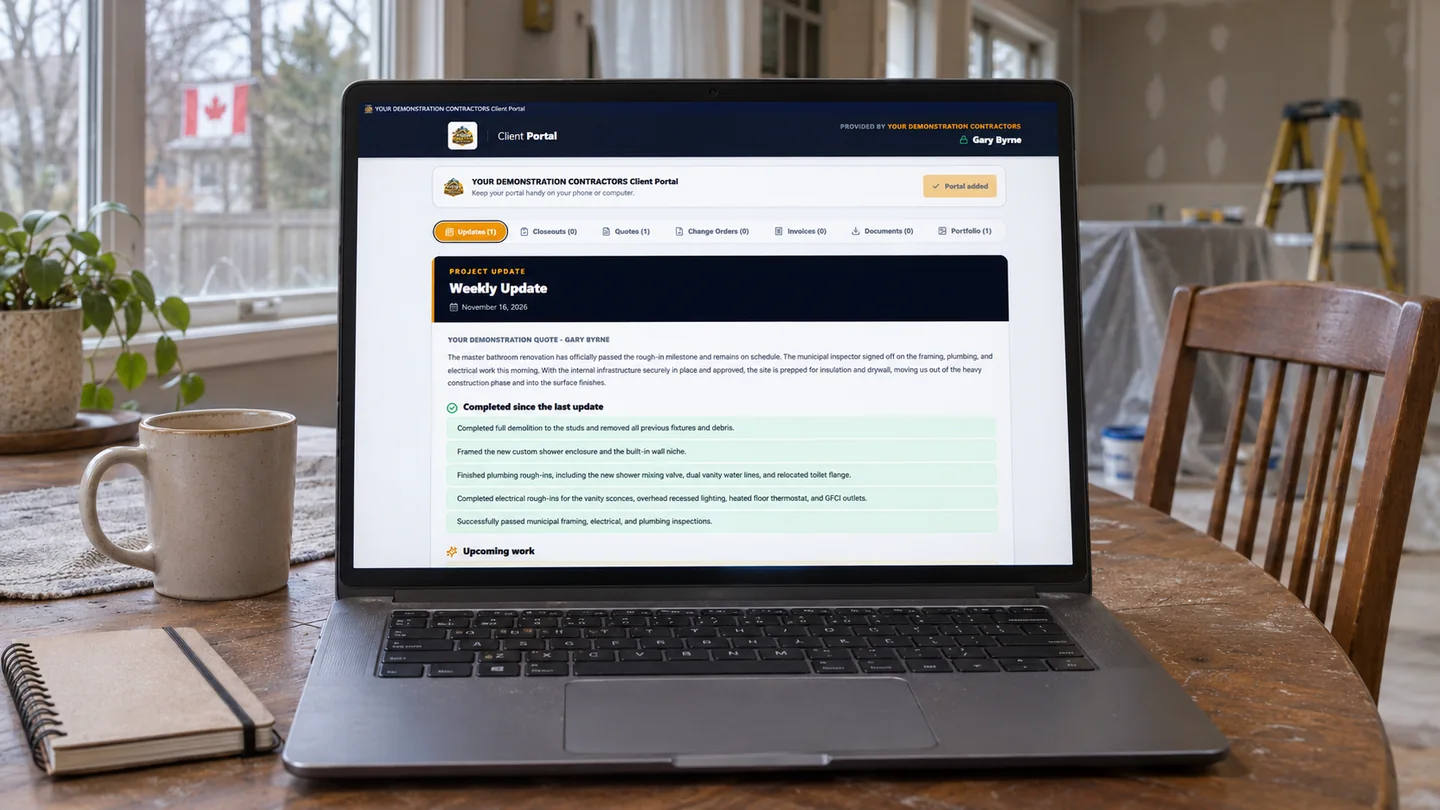
The screenshot shows the client-facing result: a recognizable contractor-branded portal and a structured update. It is separate from the internal notes your team uses to run the job.
A weekly renovation update the client can act on
The following is a fictional bathroom-renovation example, not a report from Gary’s projects or the demonstration account.
Example client update
Summary
The bathroom rough-ins are complete. We are waiting for the scheduled electrical inspection before closing the walls.
Completed since the last update
The shower framing and niche are complete, and the plumbing and electrical rough-ins are finished. Inspection approval is still pending.
Upcoming work
Once the required inspection approval is confirmed, we will finalize the insulation and drywall sequence. We will share the confirmed start date in the next update.
What we need from you
Please confirm the vanity model and dimensions by Tuesday so we can review the fit before the next stage. Let us know if you need help comparing your options.
This update distinguishes completed work from approval still needed, explains the dependency and gives the homeowner a specific next action. Add relevant photos when they help explain the work, with enough context for the client to understand what they show.
Make the update useful to your team, too
Gary’s point about checking the lead details matters when more than one person speaks with the client. A colleague should be able to check the update and send history before following up.
A sent record answers a different question from an approval. Sending an update does not mean a client has read it, confirmed a selection or agreed to extra work. Follow up on decisions that need a response.
Keep internal daily logs and project notes for site records. Prepare a reviewed client update from the facts the homeowner needs. If a request changes the agreed scope or price, document it through the change-order workflow rather than treating the update as approval for the extra work.
A reusable client project update template
Use this structure each week, then tailor the content to the job. Remove headings that are not relevant and check every date before sharing.
Project: [Project name or reference]
Update date: [Date]
Reporting period: [Dates covered]
Summary:
[Where the project stands and the most important thing the client should know.]
Completed since the last update:
[Completed work, with any outstanding review or inspection clearly identified.]
Upcoming work:
[Next steps, confirmed dates and dependencies still to be resolved.]
Decisions or access needed:
[What the client needs to do, by when and who can help.]
Changes or blockers:
[Known impact, what is being checked and when you will follow up.]
Next update:
[When the client should expect to hear from you again.]
Common questions about client project updates
How often should a contractor send an update?
Agree on a rhythm that fits the project. A weekly summary can give the client a predictable check-in, with additional messages for urgent issues or time-sensitive decisions. Send important changes when they arise instead of waiting for the next scheduled update.
Do client updates replace daily site notes?
No. Daily notes preserve the working record. Client updates explain the relevant progress, next steps and decisions in language the homeowner can use.
Are client updates included on every FuzedFlow plan?
Yes. Client updates, branded PDFs and portal publishing are included on all plans. Each plan has its own user and project allowances. Compare current plans for the details.
Can AI help with the wording?
Professional and Business include AI Rewrite in supported fields, subject to usage limits. You supply the facts and review the wording before saving or sending. It cannot verify site progress or confirm a trade’s arrival.
Bring an update you already send and explore how FuzedFlow fits your project workflow. Start with the information your clients need, then see how the draft, branded document and portal work together.